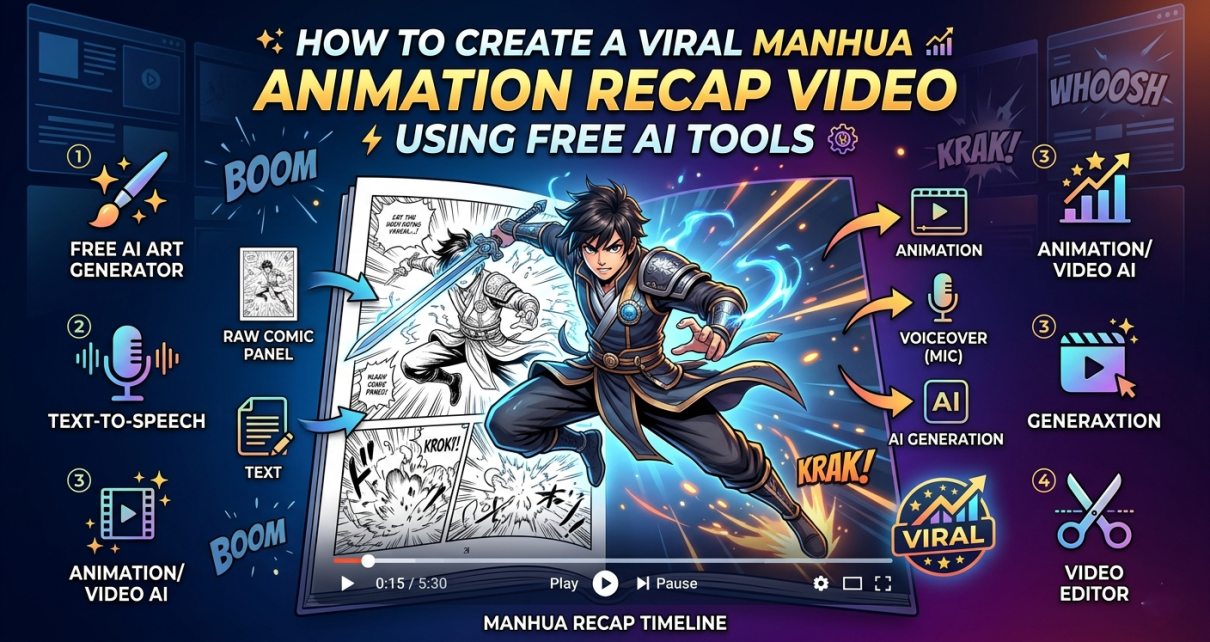
Creating a high-quality Manhua (Chinese comic) or Webtoon recap video doesn’t require a massive budget or an entire production team. By leveraging the power of modern generative AI platforms, you can craft compelling stories, generate stunning visuals, and animate full scenes completely for free.
In this comprehensive guide, we will break down the exact production workflow behind “Episode 1: The 100x Rebate System,” showcasing how to orchestrate Leonardo AI, ElevenLabs, and Runway ML into a seamless content machine.
Introduction: The Plot Summary
The secret to a viral recap video is a highly engaging, high-stakes plotline. For this project, we are producing Episode 1 of a popular modern trope: The System/Rebate Genre.
The Story Overview:
Meet Ethan, a 22-year-old guy whose life has hit rock bottom. He is unemployed, drowning in debt, three months behind on rent, and completely alone. But at midnight, everything changes. A mysterious cosmic beam strikes his room, unlocking a cryptic smartphone notification: “You have 24 hours. Spend the remaining $2,000 in your bank account, and you will receive a 100x rebate on every purchase.”
Skeptical but desperate, Ethan visits a 24-hour convenience store to buy coffee and cigarettes. The moment his card is charged $50, his phone buzzes with a real bank deposit of $5,000. Realizing the system is real, a wild grin spreads across his face. He rushes back inside, sweeping luxury items into his cart to exhaust the $5,000. Within seconds, his phone vibrates again with a jaw-dropping notification: +$500,000. And his 24 hours have just begun.
Step 1: Crafting the Visuals with Leonardo AI
To maintain a consistent look for Ethan across different scenes without paying for premium software, use Leonardo AI. By embedding a highly descriptive core character anchor (A detailed anime manhua style, 22-year-old young man named Ethan, messy black hair, sharp jawline, wearing a plain black hoodie) at the beginning of every prompt, the AI ensures visual continuity.
Scene Prompt Assets
-
Scene 1: Broken Life
-
Image Prompt:
A detailed anime manhua style, 22-year-old young man named Ethan, messy black hair, sharp jawline, wearing a plain black hoodie. He is lying depressed on a messy bed in a small, dark, untidy studio apartment. Instant noodle cups scattered on the floor. Financial stress atmosphere, cinematic lighting, masterpiece.
-
-
Scene 2: The Midnight Light
-
Image Prompt:
A detailed anime manhua style. Ethan with messy black hair, wearing a black hoodie, sleeping in his dark bedroom. A magical, glowing bright blue and golden beam of light shooting down from the starry sky directly through the window onto him. High contrast, epic, fantasy lighting.
-
-
Scene 3: The Cryptic Message
-
Image Prompt:
A detailed anime manhua style. Ethan, 22-year-old man, messy black hair, black hoodie, looking at his glowing smartphone screen in shock and disbelief. Close up on his face, eyes wide open, screen light reflecting on his face, dark bedroom background.
-
-
Scene 4: The First Test
-
Image Prompt:
A detailed anime manhua style. Ethan with messy black hair, wearing his black hoodie, standing at the counter inside a brightly lit modern 24-hour convenience store. He is handing his credit card to the cashier to buy a cup of coffee and cigarettes.
-
-
Scene 5: The Unreal Rebate
-
Image Prompt:
A detailed anime manhua style. Ethan with messy black hair, black hoodie, standing outside the store under a streetlamp at night. He is staring at his phone with a jaw-dropping, extremely shocked expression. The phone screen shows big text "+$5,000".
-
-
Scene 5.5: The Crazy Shopping Spree
-
Image Prompt:
A detailed anime manhua style. Ethan, 22-year-old young man, messy black hair, sharp jawline, wearing a plain black hoodie. He is running down a brightly lit convenience store aisle, pushing a shopping cart overflowing with premium snacks, drinks, and various items. He has an excited, wild smile on his face. Motion blur effect on the background shelves to show speed, dynamic camera angle.
-
-
Scene 6: The Half a Million Dollars (Cliffhanger)
-
Image Prompt:
A detailed anime manhua style. Ethan with messy black hair, black hoodie, smiling mischievously and confidently. He is holding a smartphone showing a huge bank balance of "+$500,000" in a close-up shot. Background is a crowded shopping cart in the store, epic and hype composition.
-
Step 2: Voice Generation with ElevenLabs
A dramatic third-person omniscient narrator helps drive the story’s pacing. For optimal results, use popular voice models like Marcus, Adam, or Antoni in ElevenLabs.
To make the AI voice sound authentic and emotionally dynamic, segment your generation into three distinct phases using the advanced voice settings:
Voice Configurations & Script Layout
Phase A: Deep & Gloomy (For Scene 1)
-
Settings: Stability: 65% – 70% | Clarity: 75%
-
Voiceover Script:
[sighs, speaking in a low, depressed tone]“Meet Ethan. His life is a total mess. Unemployed, drowning in debt, and three months behind on rent. With no girlfriend and an empty stomach, he has hit rock bottom.”
Phase B: Mysterious & Suspenseful (For Scenes 2 & 3)
-
Settings: Stability: 50% – 55% | Style Exaggeration: 10% – 15%
-
Voiceover Script:
“But on one ordinary midnight, everything changed. A mysterious cosmic light pierced through the darkness, striking directly into Ethan’s room. Waking up in shock, Ethan checked his phone. A strange system message was glowing on the screen: ‘You have 24 hours. Spend the remaining $2,000 in your bank account, and you will receive a 100x rebate on every purchase.'”
Phase C: Energetic & Hype (For Scenes 4 to 6)
-
Settings: Stability: 35% – 45% | Style Exaggeration: 25% – 35% (Lowering stability allows the AI to express intense excitement and shock naturally)
-
Voiceover Script:
“Unable to sleep, Ethan walked out into the cold night. He went into a 24-hour convenience store to test this absurd message. He picked up a cup of coffee and a pack of cigarettes, paying fifty dollars with his card. The moment the payment went through, his phone buzzed. A bank notification appeared: ‘Fifty dollars spent. One hundred times rebate triggered. Five thousand dollars deposited into your account.’ Ethan’s jaw dropped.
With his eyes burning with greed and excitement, Ethan dashed back into the store. He grabbed a massive shopping cart and began sweeping everything from the shelves—luxury snacks, expensive wines, electronic gadgets—spending every single dollar of his new wealth. Seconds later, his phone vibrated again… Five. Hundred. Thousand. Dollars. And the 24 hours have just begun.”
Step 3: Scene Animation with Runway ML
Once your static images are generated, import them into Runway ML (using the Image-to-Video feature) to add cinematic movement. Keep the camera motions subtle to maintain the crispness of the artwork.
Video Motion Prompts
-
Scene 1 Motion:
Slow camera zoom in on the depressed young man lying on the bed. Subtle breathing movement, sad and gloomy atmosphere. -
Scene 2 Motion:
A sudden bright beam of light flashing down from the sky through the window, illuminating the dark room with particles floating in the air. -
Scene 3 Motion:
Slight camera shake, Ethan's eyes widening in shock, phone screen glowing brighter, subtle facial expression change. -
Scene 4 Motion:
Medium shot, Ethan handing over the credit card, neon lights flickering outside the store window, realistic store environment. -
Scene 5 Motion:
Fast camera zoom in on Ethan's shocked face, digital money numbers flashing on the smartphone screen, dramatic atmosphere. -
Scene 5.5 Motion:
Dynamic tracking shot following Ethan as he pushes the shopping cart fast down the aisle. Items on the shelves blurring past, character showing high energy and crazy excitement. -
Scene 6 Motion:
Ethan's smirk widening, cinematic camera rotation, massive green digital glow from the phone screen, sudden cut to black for the cliffhanger.
Production Conclusion
By compiling these animated clips inside an editor like CapCut, adding an intense Phonk backing track (such as Metamorphosis by Interworld) during the shopping climax, and overlaying clean text subtitles, you can achieve a studio-level recap video completely free of charge.
Stay tuned for more AI workflows, and make sure to bookmark our page for the upcoming release of Episode 2!